



From growing pains to groundbreaking gains

We specialize in data, software, and cloud architecture—building solutions that connect systems without disrupting your processes.

Deep technical expertise with a commitment to seamless integration.

Blue Flag Consulting, Inc.

Who We Are

Blue Flag Consulting Inc. is a specialized technology consulting firm dedicated to solving complex engineering and business challenges. We combine deep technical expertise with a relentless problem-solving approach to address each client’s unique needs. Our mission is to deliver innovative, effective solutions while building lasting partnerships grounded in trust and integrity.

For every engagement, we commit to thoroughly understanding our client’s objectives and constraints. We work side by side with our clients, emphasizing clear communication and transparency at every step. As a trusted partner, we ensure our solutions not only resolve immediate issues but also lay the foundation for our clients’ long-term success.

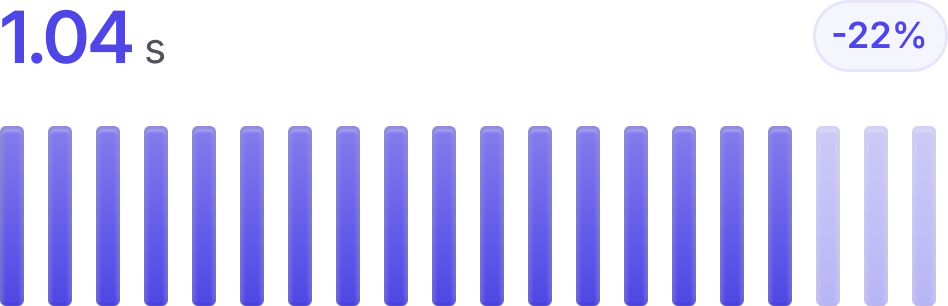
Deploy faster

Our Process

We start by understanding your business—its goals, challenges, and long-term strategy—so that each technical decision directly support your roadmap.

  • The Problem We begin by identifying the technical challenges and nuances of each project. We take the time to understand your business and long-term strategy so that our design choices support your goals.
  • Components Our process includes researching various options and technologies to determine the best fit for your needs. We build small test components and conduct initial integration tests to develop an effective integration strategy.
  • Solution We then create detailed blueprints—including software diagrams, process flows, and design decision documentation—to serve as the foundation of the solution. Next, we establish CI/CD pipelines to facilitate quick integration and embed operational expertise into the system.
  • Blue Print We establish CI/CD pipelines to facilitate quick integration and embed operational expertise into the system. Finally, we provide comprehensive documentation to ensure your team can manage and evolve the solution as your business changes.

Our Customers

We partner with forward-thinking organizations that view technology as a strategic asset. Our clients often come to us when facing high-stakes challenges—whether they need to scale their operations to meet growing demand, manage complex system integrations, or overcome technical hurdles that impede progress.

These organizations span various industries but share a common goal: leveraging expert help to achieve transformative results. From rapidly growing startups to established enterprises undergoing digital transformation, our clients seek a trusted partner who can provide both strategic insight and hands-on technical execution.

“I highly recommend Blue Flag for their exceptional ability to analyze and present complex data sets in a clear and concise manner, as well as their collaborative and flexible approach to tailoring analyses to specific business needs.”

Ken Ranger
SVP Transit Operations

“As a seasoned Ontario lawyer and former advisor to the Minister of Justice, I wholeheartedly endorse Blue Flag Consulting for its exceptional data and cloud analytics services. Their expertise has enabled our law firm to stay ahead of the curve. Blue Flag's adaptability, professionalism, and commitment to excellence make them a valuable partner in the legal industry.”

Taayo Simmonds
Simmonds Law

Our Vision

Blue Flag Consulting’s long-term vision is to be the go-to specialized consultancy for high-stakes engineering and technology challenges. We strive to be recognized as the “Green Berets of engineering” – a small, elite unit that organizations call upon when the stakes are highest and the challenges are most complex.

In pursuing this vision, we remain committed to excellence and agility. We focus on projects where our specialized skills make the greatest difference, tackling critical problems with precision and dedication. By doing so, we aim to consistently deliver outcomes that not only solve the immediate issue but also propel our clients toward a stronger, more innovative future.

Our Expertise

What we deliver

Insights

Transform raw data into actionable insights with business intelligence that drives strategic growth and competitive advantage.

Performance

streamlined operations that deliver consistently rapid response, scalable efficiency, and measurable impact.

Security

Best practices and compliance integrated into the fabric of everything we build.

Continuous Integration / Continuous Delivery

Embed domain expertise directly into version control, enabling rapid iterations and consistent deployments, driving faster innovation.

main.go
gitlab-ci.yml
container_scanning:
    tags:
      - docker
    variables:
      CS_IMAGE: $CI_REGISTRY_IMAGE/production-image
  
  build-image:
    image: docker:24.0.2
    stage: build
    services:
      - docker:24.0.2-dind
    script:
      - docker build --tag $CI_REGISTRY_IMAGE/example-image --file Dockerfile .
      - docker login --username gitlab-ci-token --password $CI_JOB_TOKEN $CI_REGISTRY
      - docker push $CI_REGISTRY_IMAGE/example-image
  
  variables:
    INGEST01: "ingest-node-01"
    INGEST02: "ingest-node-02"
    INFLUX01: "influx-node-01"
    GRAFANA01: "grafana-node-01"
  
  workflow:
    rules:
      - if: '$CI_COMMIT_BRANCH == "main"'
        changes:
          - docker-stack/**
  
  build-sync-configs:
    stage: build
    script:
      - echo "Copying ingest folder content to the node configs folder"
      - echo "syncing $INGEST02"
      - rsync -avz --delete ./docker-stack/configs/ingest $INGEST02:configs/
      - echo "syncing $INGEST01"
      - rsync -avz --delete ./docker-stack/configs/ingest $INGEST01:configs/
      - echo "Copying influx folder content to the influx node's config folder"
      - echo "syncing $INFLUX01..."
      - rsync -avz --delete ./docker-stack/configs/influx $INFLUX01:configs/
      - echo "Copying grafana folder content to the node configs folder"
      - echo "syncing $GRAFANA01"
      - rsync -avz --delete ./docker-stack/configs/grafana $GRAFANA01:configs/
  
  build-ingest02-nodes:
    stage: build
    needs: ["build-sync-configs"]
    script:
      - echo "Building ingest-node-02"
      - echo "Building Docker containers"
      - echo "as user $USER"
      - echo "Taking down keepalived"
      - DOCKER_CONTEXT=$INGEST02 docker compose -f ./docker-stack/docker-compose.ingest.yml --env-file ~/.env.ingest-node-02 down keepalived
      - DOCKER_CONTEXT=$INGEST02 docker compose -f ./docker-stack/docker-compose.ingest.yml --env-file ~/.env.ingest-node-02 build
  
  build-ingest01-nodes:
    stage: build
    needs: ["build-sync-configs"]
    script:
      - echo "Building ingest-node-01"
      - echo "Building Docker containers"
      - echo "as user $USER"
      - echo "Taking down keepalived"
      - DOCKER_CONTEXT=$INGEST01 docker compose -f ./docker-stack/docker-compose.ingest.yml --env-file ~/.env.ingest-node-01 down keepalived
      - DOCKER_CONTEXT=$INGEST01 docker compose -f ./docker-stack/docker-compose.ingest.yml --env-file ~/.env.ingest-node-01 build
  
  build-influx01-nodes:
    stage: build
    needs: ["build-sync-configs"]
    script:
      - echo "Building influx-node-01"
      - echo "Building Docker containers"
      - echo "as user $USER"
      - DOCKER_CONTEXT=$INFLUX01 docker compose -f ./docker-stack/docker-compose.influx.yml --env-file ~/.env.influx-node-01 build
  
  build-grafana01-nodes:
    stage: build
    needs: ["build-sync-configs"]
    script:
      - echo "Building grafana-node-01"
      - echo "Building Docker containers"
      - echo "as user $USER"
      - echo "Taking down keepalived"
      - DOCKER_CONTEXT=$GRAFANA01 docker compose -f ./docker-stack/docker-compose.grafana.yml --env-file ~/.env.grafana-node-01 build
  
  # ######################################### Deploy
  
  deploy-ingest02-nodes:
    stage: deploy
    script:
      - echo "Bringing ingest-node-02 up"
      - echo "as user $USER"
      - DOCKER_CONTEXT=$INGEST02 docker compose -f ./docker-stack/docker-compose.ingest.yml --env-file ~/.env.ingest-node-02 up -d --remove-orphans
      - echo "Restarting telegraf"
      - DOCKER_CONTEXT=$INGEST02 docker compose -f ./docker-stack/docker-compose.ingest.yml --env-file ~/.env.ingest-node-02 restart telegraf
  
  deploy-ingest01-nodes:
    stage: deploy
    script:
      - echo "Bringing ingest-node-01 up"
      - echo "as user $USER"
      - DOCKER_CONTEXT=$INGEST01 docker compose -f ./docker-stack/docker-compose.ingest.yml --env-file ~/.env.ingest-node-01 up -d --remove-orphans
      - echo "Restarting telegraf"
      - DOCKER_CONTEXT=$INGEST01 docker compose -f ./docker-stack/docker-compose.ingest.yml --env-file ~/.env.ingest-node-01 restart telegraf
  
  deploy-influx01-nodes:
    needs: ["build-ingest01-nodes", "build-ingest02-nodes"]
    stage: deploy
    script:
      - echo "Bringing influx-node-01 up as user $USER"
      - DOCKER_CONTEXT=$INFLUX01 docker compose -f ./docker-stack/docker-compose.influx.yml --env-file ~/.env.influx-node-01 up -d --remove-orphans
      - echo "Restarting telegraf"
      - DOCKER_CONTEXT=$INFLUX01 docker compose -f ./docker-stack/docker-compose.influx.yml --env-file ~/.env.influx-node-01 restart telegraf
  
  deploy-grafana-nodes:
    needs: ["build-ingest01-nodes", "build-ingest02-nodes"]
    stage: deploy
    script:
      - echo "Bringing grafana-node-01 up as user $USER"
      - DOCKER_CONTEXT=$GRAFANA01 docker compose -f ./docker-stack/docker-compose.grafana.yml --env-file ~/.env.grafana-node-01 down
      - DOCKER_CONTEXT=$GRAFANA01 docker compose -f ./docker-stack/docker-compose.grafana.yml --env-file ~/.env.grafana-node-01 up -d --remove-orphans
  

Our track record

Trusted by thousands of creators worldwide

Lorem ipsum, dolor sit amet consectetur adipisicing elit. Maiores impedit perferendis suscipit eaque, iste dolor cupiditate blanditiis ratione.

Creators on the platform
8,000+
Flat platform fee
3%
Uptime guarantee
99.9%
Paid out to creators
$70M

From the blog

We provide practical insights in solution architecture, software development, and data analytics. Drawing on our extensive hands-on experience, we break down complex challenges into clear, actionable strategies.

AWS DMS Full Load: SQL Server HierarchyID to PostgreSQL LTREE Migration

AWS provides tools for migrating data between systems, including the Schema Conversion Tool and the Database Migration Service. This article presents a solution for migrating the HierarchyID datatype from Microsoft SQL Server to the LTREE datatype in AWS Aurora PostgreSQL.

Everything 'as Code'

Jim Collins’ Built to Last shows that embedding expertise into processes helps companies scale and innovate—a practice now applied by software teams through CI/CD pipelines. With more development aspects moving “as code,” teams can focus on core tasks like bug fixes and feature releases, marking a transformative trend.